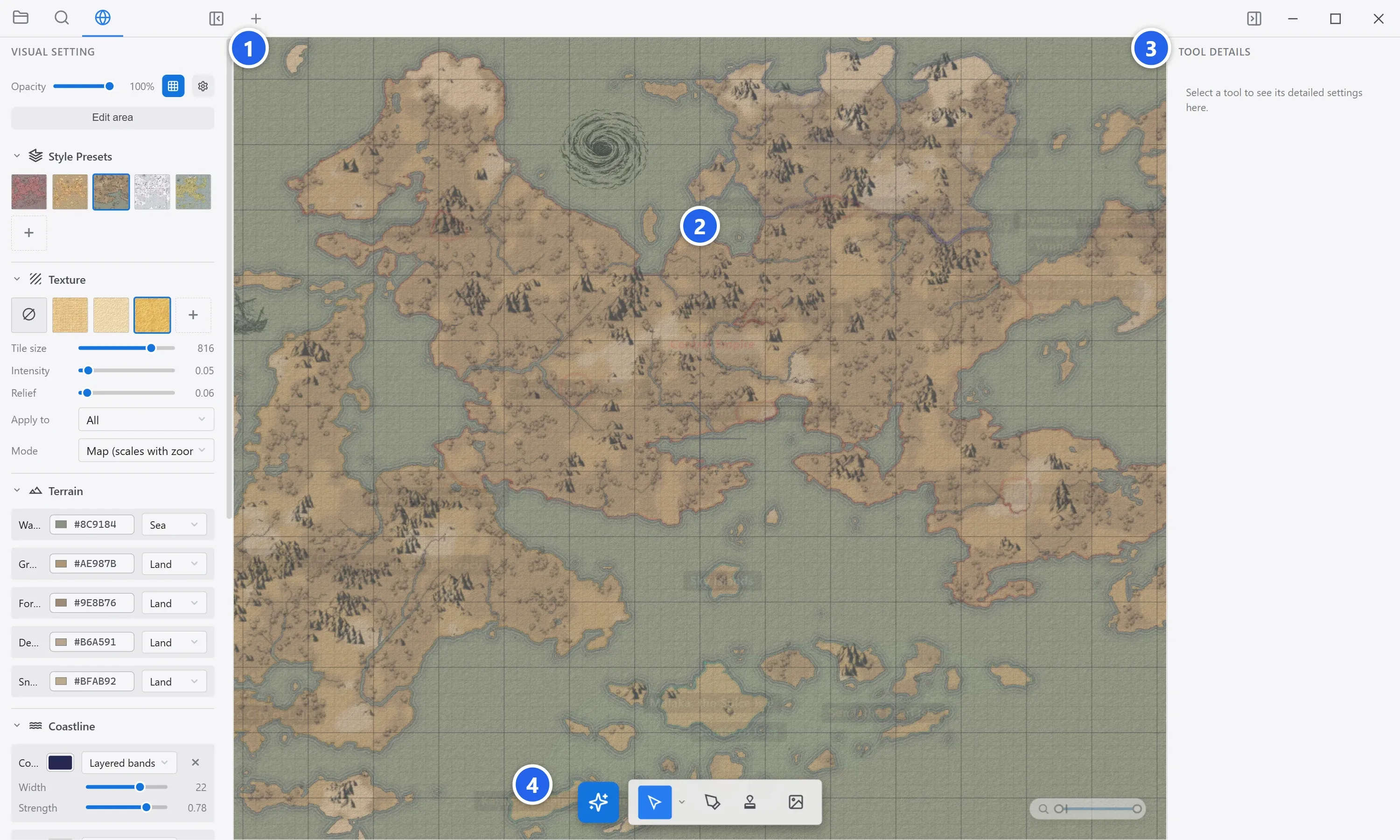
Terrain & the map look
The terrain is the ground your world sits on. World Note renders it with a GPU engine — hillshading, textures, and zoom-aware detail — and gives you two ways to make it: paint it by hand, or generate it.
Enter Background edit mode
Section titled “Enter Background edit mode”Terrain lives in Background edit mode. Click the globe tab on the left rail to enter it. The side panels switch to background controls: brush and generator options on the left, per-tool details on the right. Click the globe again (or Files / Search) to leave.
Paint terrain by hand
Section titled “Paint terrain by hand”-
In Background edit mode, pick the Terrain Brush.
-
Choose a surface — water, grassland, forest, desert, snow, and more. Each paints a different ground type.
-
Set the brush size and shape (circle, square, or diamond), then drag on the canvas. Hold the erase toggle to remove terrain.
Generate a world
Section titled “Generate a world”Don’t want to paint from scratch? Open the map visual generator and let it build terrain for you. The main controls:
- Sea level — higher means more ocean, less land.
- Continents — high values cluster land into big continents; low values scatter small islands.
- Roughness — how rugged and broken-up the surface is.
- Climate — more forest at high values, more desert at low.
- Detail — intricacy of coastlines and the number of small islets.
- Arctic / Antarctic snow — how far the polar snow caps reach.
Each generation uses a seed. Lock a seed to keep the overall shape while you tweak the other sliders, or roll a new random seed for a fresh world. Save a set of settings as a terrain preset to reuse it later.
Textures, coastlines, and style presets
Section titled “Textures, coastlines, and style presets”On top of the generated palette you can layer:
- Textures — one tiled surface texture (with optional relief) over land, water, or both.
- Coastline treatment — a colored band where land meets water, as a gradient, outline, or layered bands.
- Style presets — capture the whole look (palette + coastline + textures + stamp overrides) as a one-click preset so every map shares a consistent style.
Scatter stamps
Section titled “Scatter stamps”Stamps are hand-drawn icons — mountains, hills, trees, dunes — scattered across the map for a classic fantasy-atlas feel.
- Place them with the Stamp tool, or let Stamp Placement distribute them automatically after generating terrain (driven by height and surface type).
- Tune density and height threshold, and choose which kinds appear.
- Add your own stamp images, organized into categories, through the stamp image dialog.
- Documents & wikilinks — connect your map to notes.
- New here? Start with Getting started.