
Create or open a project
A World Note project is a single folder. The folder holds everything that makes up the project, such as your maps, images, and notes.
The first screen
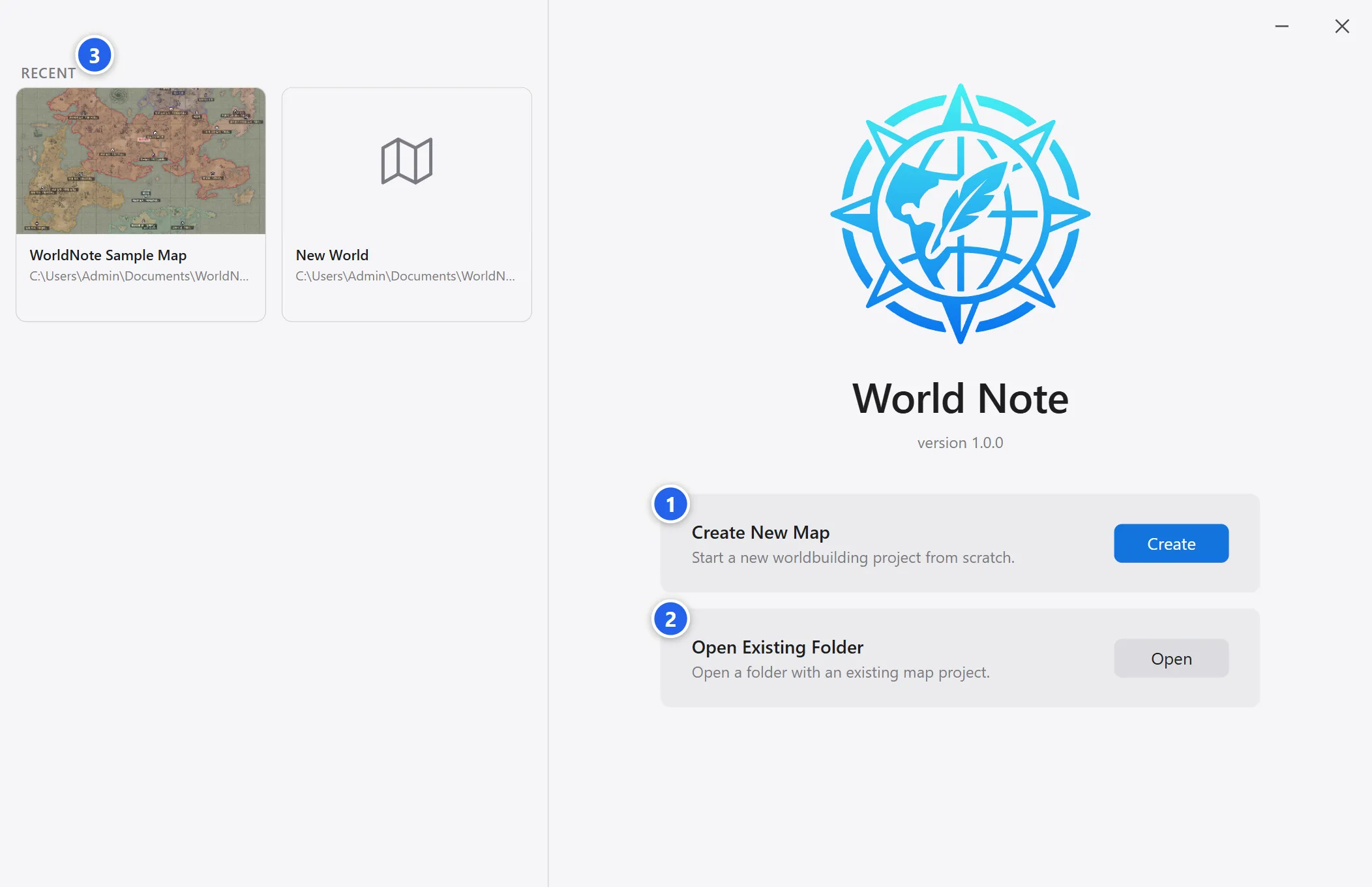
Section titled “The first screen”Launch the app and the first screen appears.
-
Create New Map starts a new project.
-
Open Existing Folder reopens a project folder you made before. If the chosen folder has no project files, WorldNote looks for a project in the folders inside it and asks which one to open. A shared archive usually unpacks with the project folder one level further in.
-
Recent lists your latest projects, one click away.
Create a new map
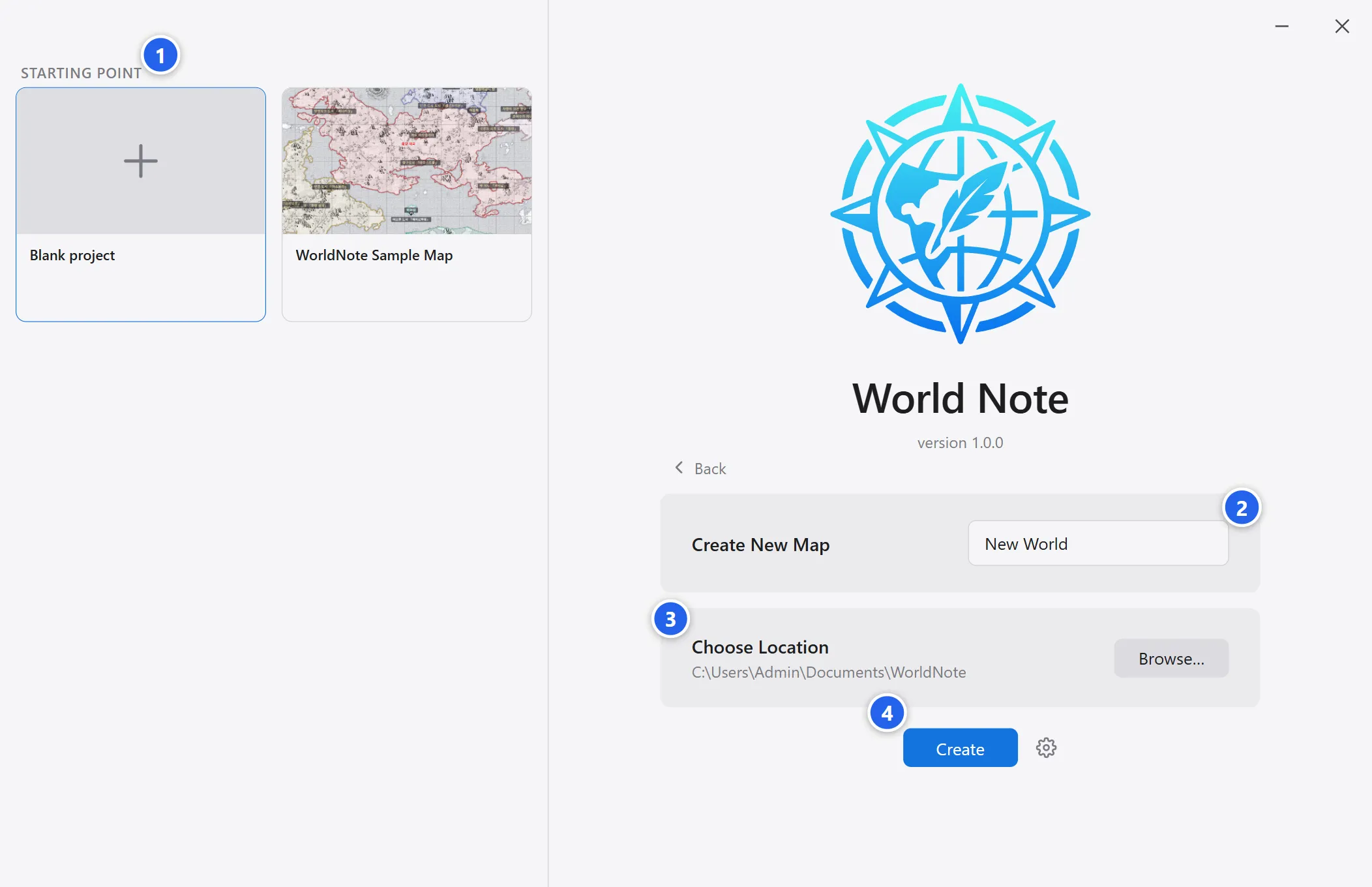
Section titled “Create a new map”Click Create and the screen switches to the create form.
-
Under Starting Point, choose whether to start from a blank project or a sample map.
-
Enter a map name. A folder with this name will be created.
-
Click Browse and choose where the project folder should be created.
-
Click Create to create the project and open the map.
Everything you make in World Note is saved inside the folder. Move, back up, or share the folder and the project stays intact.
Next steps
Section titled “Next steps”Next, take a tour of the layout, then make your first map in five minutes.