
Markers
A marker marks a single point on the map with an icon. It can stand for a city, a dungeon, a meeting place, and more.
Place a marker
Section titled “Place a marker”-
Select Place marker in the bottom toolbar (shortcut
M). -
Pick an icon from the marker picker in the toolbar.
-
Click the map to place the marker.
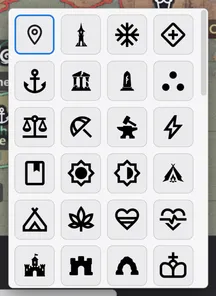
Besides built-in icons such as the pin and the windmill, you can upload your own images as icons. Custom icons are stored inside the project folder and travel with the project.
Turn on Hide name on map in the style panel to keep only the icon. The name stays in the Map hierarchy panel.
Zoom visibility
Section titled “Zoom visibility”Each marker can turn on a zoom display range. When on, the marker hides outside the chosen zoom range; when off (the default), it follows the display rules of its containing region.
Markers are managed together with regions in the Map hierarchy panel on the right.