
The image library
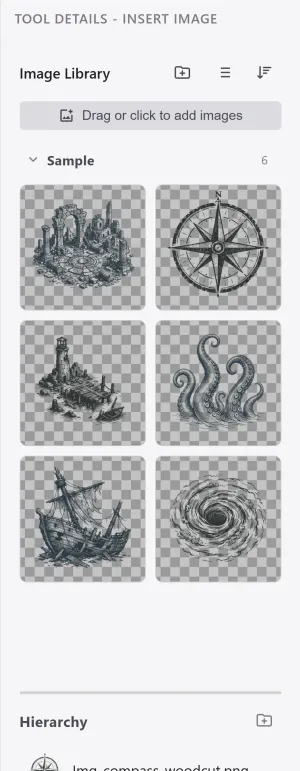
The image library is a global store shared across projects. Keep your frequently used images in one place and pull them into any project.
Managing the library
Section titled “Managing the library”| Element | What it does |
|---|---|
| View | Switches between grid view and list view. |
| Sort | Sorts by name, recently added, or recently used. |
| Folders | Organizes images into folders. Images not in a folder gather under Uncategorized. |
| Add | Drop files in or use the add button to add new images. |
The library is stored app-wide. Add an image once and it shows up in new projects too.
See Placing images on the map for putting library images on the map.