
General
The General tab in Settings manages World Note’s language, appearance, new document location, and spell check.
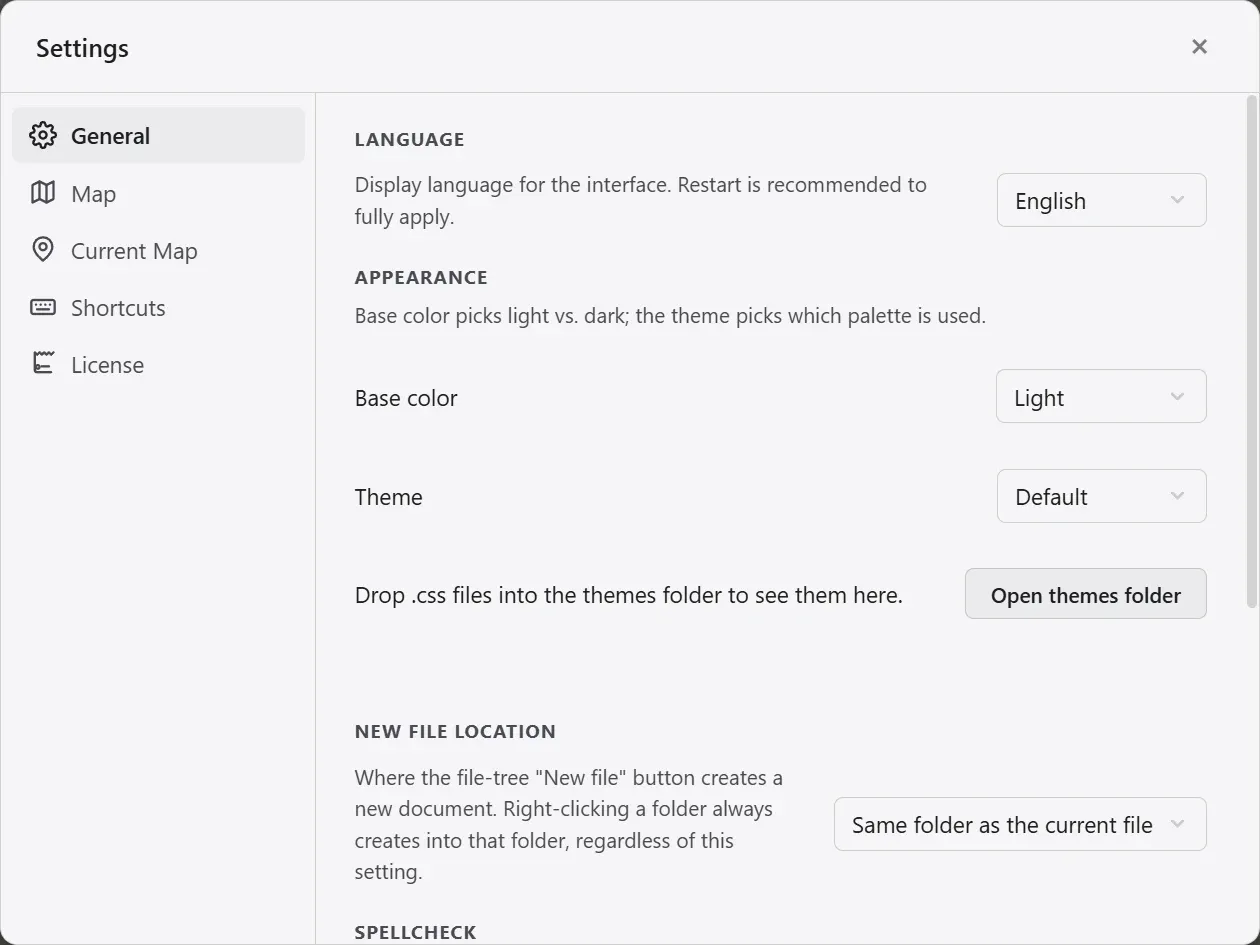
| Element | What it does |
|---|---|
| Language | Picks the interface language. Ten are available: 한국어, English, 日本語, 简体中文, 繁體中文, Français, Deutsch, Italiano, Español, Português. |
| Base color scheme | Choose light, dark, or follow the system. |
| Theme | Loads a CSS theme you made to recolor the app. When a CSS file in the themes folder changes, it reapplies live. |
| New file location | The folder the file tree’s new document button creates documents in. Creating one by right-clicking a folder puts it in that folder regardless of this setting. |
| Spell check | Underlines misspellings in the document editor and offers corrections on right-click. Pick the languages to check here. |
Changing the language shows a prompt suggesting a restart. A restart is what switches every string over to the new language.
Turning spell check on and off is done with the spelling button above the document. A dictionary is downloaded the first time you use it, so that needs an internet connection, and on macOS the checked language follows the system setting.
The settings tabs
Section titled “The settings tabs”Settings are split into five tabs by what they affect.
| Tab | Contents |
|---|---|
| General | Language, appearance, new file location, spell check |
| Map | Render resolution, label merging, new project ground color |
| Current Map | Default region style, default marker, wheel zoom range, attachment location |
| Shortcuts | Tool shortcut rebinding |
| License | Trial and full version |
App settings and project settings
Section titled “App settings and project settings”| Kind | Items | Scope |
|---|---|---|
| App-wide settings | Language, theme, shortcuts, new file location, spell check, render resolution, label merging | Apply to every project. |
| Project settings | Default region style, default marker, wheel zoom range, attachment location | Travel with the project file, so they survive moving the project. |
The General and Map tabs hold app settings; the Current Map tab holds project settings. If you want it different for this project only, set it in Current Map; if you want it app-wide, set it in the other tabs.